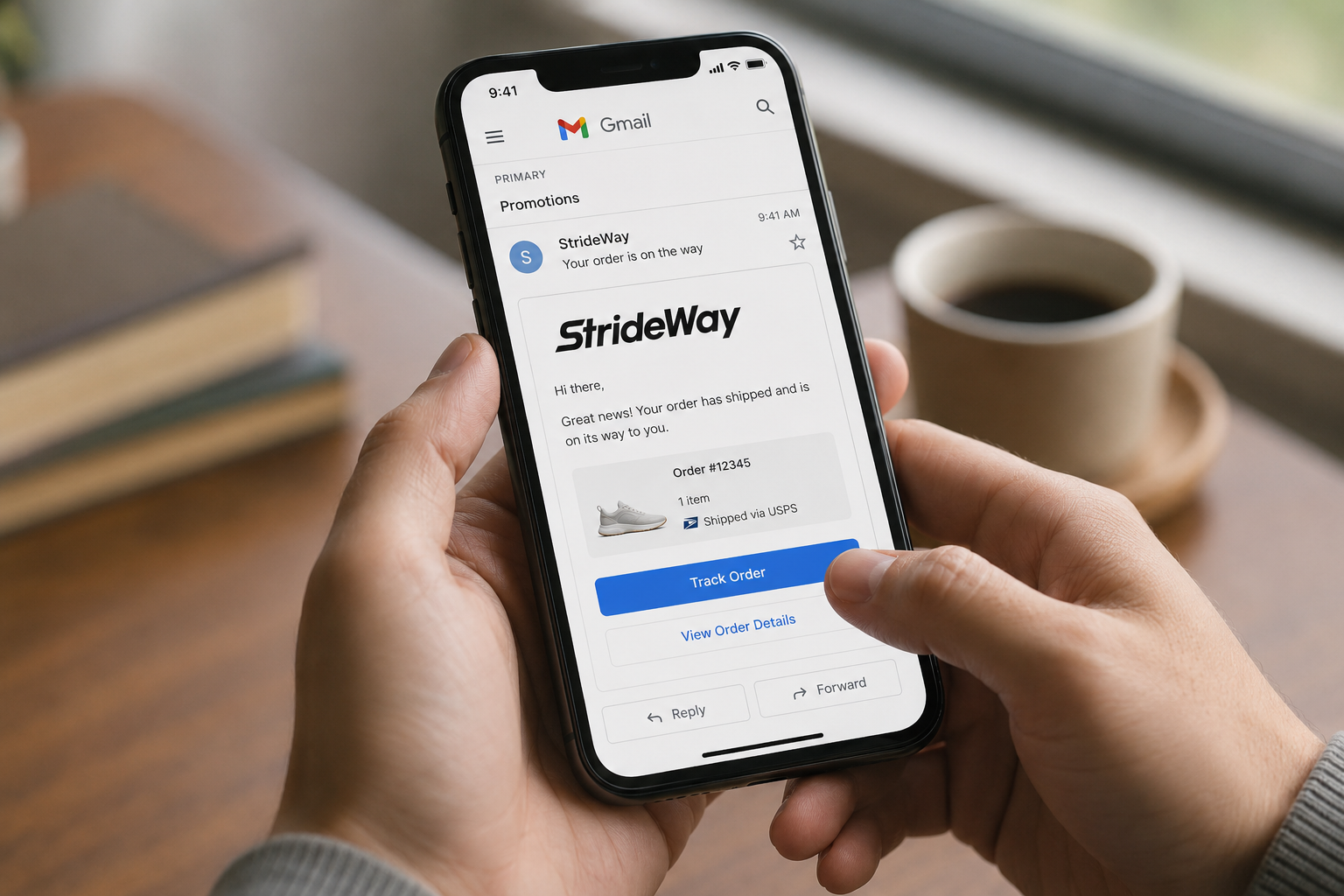
A quick look at my Gmail inbox reveals that a growing number of senders are using email features I hadn’t paid much attention to before: a “Track Order” button visible in the message list, or a calendar card that lets me add an event without even opening the email. It caught my eye as something genuinely useful for clients. I wanted to understand how it worked.
The email source code didn’t tell me much at first, but I soon found an enlightening article from Google that explained everything.
What’s Available
There are several types of enhancement you can add:
- Action buttons
- Link actions like “View order” or “Track package”
- Rating prompts
- Search result customisation — richer snippets in Gmail search
- Confirmation cards
- Event reservations
- Flight bookings
- Hotel reservations
- Restaurant bookings
All of this is achieved by embedding semantic data into the email’s HTML using Schema.org types.
A Concrete Example
Here’s what a hotel reservation confirmation looks like with the markup embedded:
<html>
  <body>
    <script type="application/ld+json">
      {
        "@context": "http://schema.org",
        "@type": "EventReservation",
        "reservationNumber": "IO12345",
        "underName": "John Smith",
        "reservationFor": {
          "@type": "Event",
          "name": "Google I/O 2013",
          "startDate": "2013-05-15T08:30:00-08:00",
          "location": "Moscone Center, 800 Howard St., San Francisco, CA 94103"
        }
      }
    </script>
    <p>Dear John, thanks for booking your Google I/O ticket with us.</p>
  </body>
</html>
Different entities — places, people, organisations — have their own Schema.org types. Before sending anything live, you can validate your markup with Google’s Markup Tester. Note that your sender address needs to be registered with Google first.
Tutorial: Sending a Test Email with Rich Snippets
1. Send a basic test email from the command line
echo "Hello World" | mail -s "Test email" someone@example.comEmails sent this way will likely land in spam — that’s fine for testing. Check your spam folder.

2. Create the email content with the rich snippet
Create a new file called content.html with the following:
<html>
  <body>
    <script type="application/ld+json">
      {
        "@context": "http://schema.org",
        "@type": "EventReservation",
        "reservationNumber": "IO12345",
        "underName": "John Smith",
        "reservationFor": {
          "@type": "Event",
          "name": "Google I/O 2013",
          "startDate": "2013-05-15T08:30:00-08:00",
          "location": "Moscone Center, 800 Howard St., San Francisco, CA 94103"
        }
      }
    </script>
  </body>
</html>
3. Send it with the correct content type
cat content.html | mail -a 'Content-Type: text/html' \
  -s "Test email rich snippet" your@address.dev
Gmail will parse the structured data and display the card in your inbox view.
Worth Adding to Your Toolkit
With rich snippets in emails, you can offer clients and their customers real added value with relatively little effort. Gmail renders these prominently, and in a marketing context they improve email visibility even before the message is opened.
The setup overhead is low — the main constraint is registering your sender domain with Google, which can take a few days.