
With GitLab, automatically deploying a review app — or preview environment, as Azure calls it — for each merge request is almost effortless. Each one gets its own URL, so new features can be tested in complete isolation. Compared to a shared staging system, this saves a lot of grief with merge conflicts and unintended side effects.
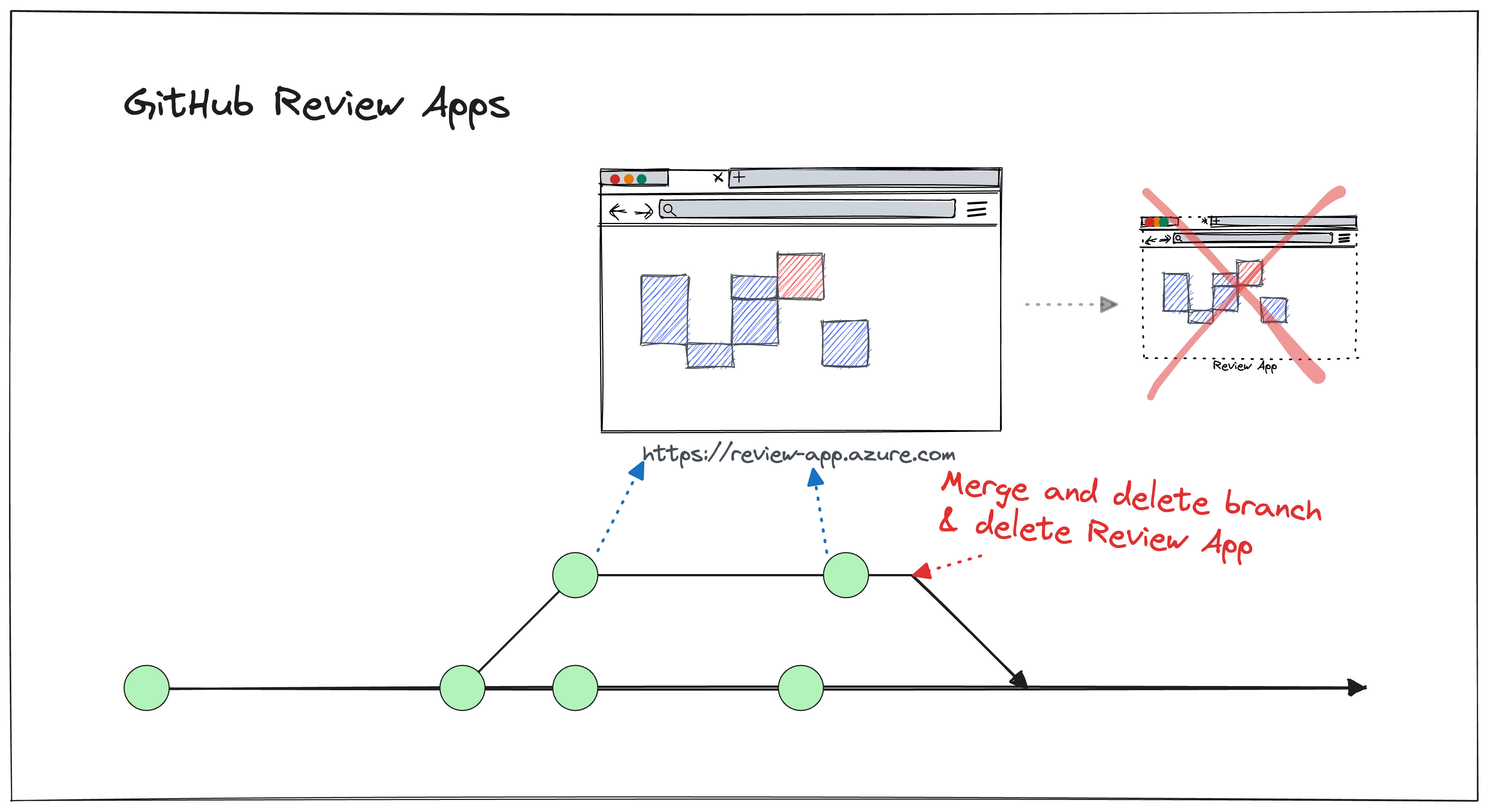
You can achieve the same thing with GitHub Actions. This article shows one approach via Azure Static Web Applications (SWA).
Why It’s Worth Setting Up
Azure Static Web Applications are free of charge. You get a URL, an SSL certificate, and storage space — with no configuration overhead to speak of.
- GitHub Actions workflows for building and deploying are provided out of the box.
- Review apps are automatically linked in pull requests as a status check. When a pull request is closed, the environment is torn down automatically.
Where It Falls Short
This approach is primarily suited to static websites. That said, it’s also conceivable to host build artefacts (dmg, exe, jar files) for download via a preview URL — it doesn’t have to be just HTML.
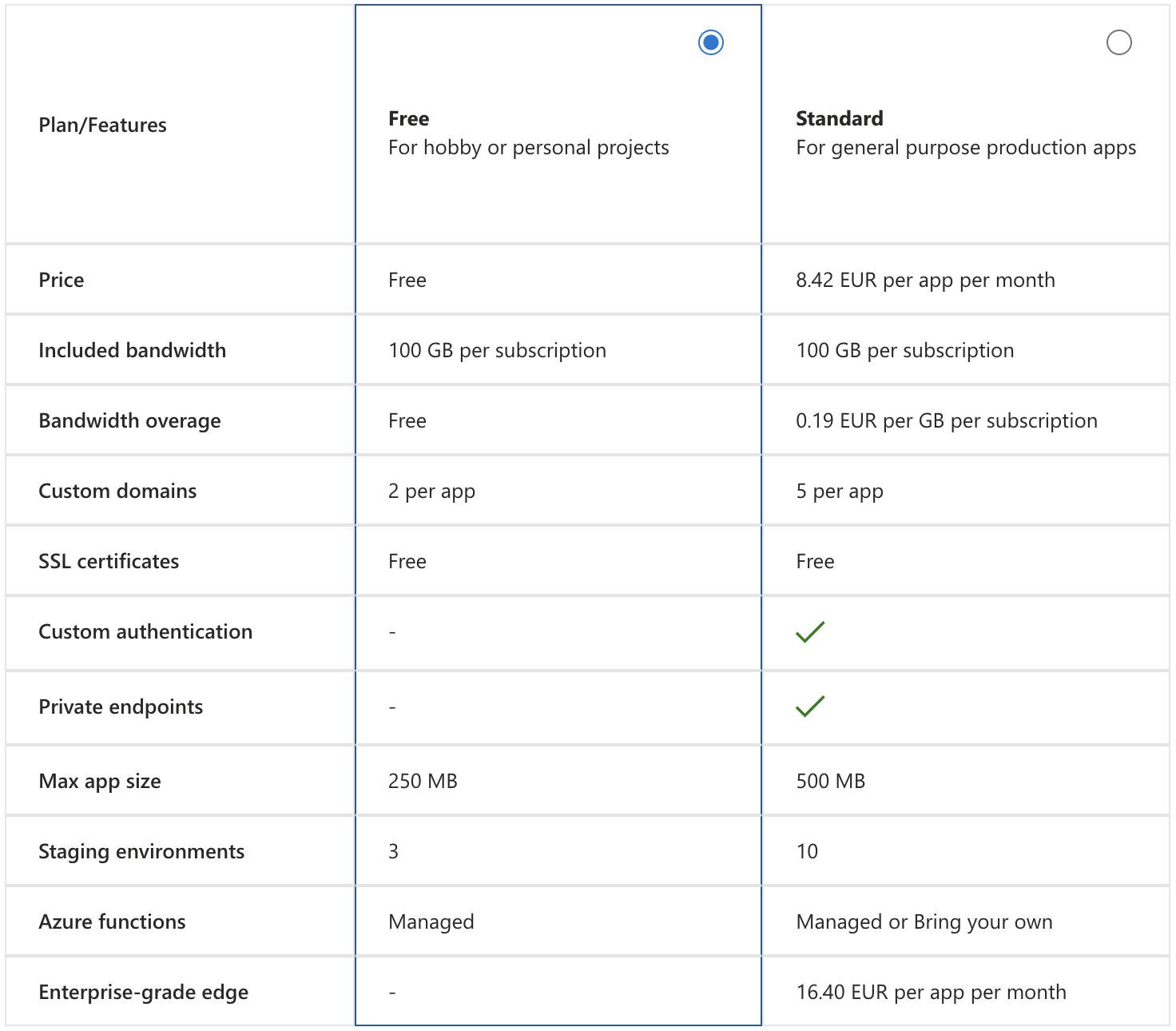
Alternatives Worth Knowing
Several other platforms offer free static hosting and fit the same pattern well:
See It in Action
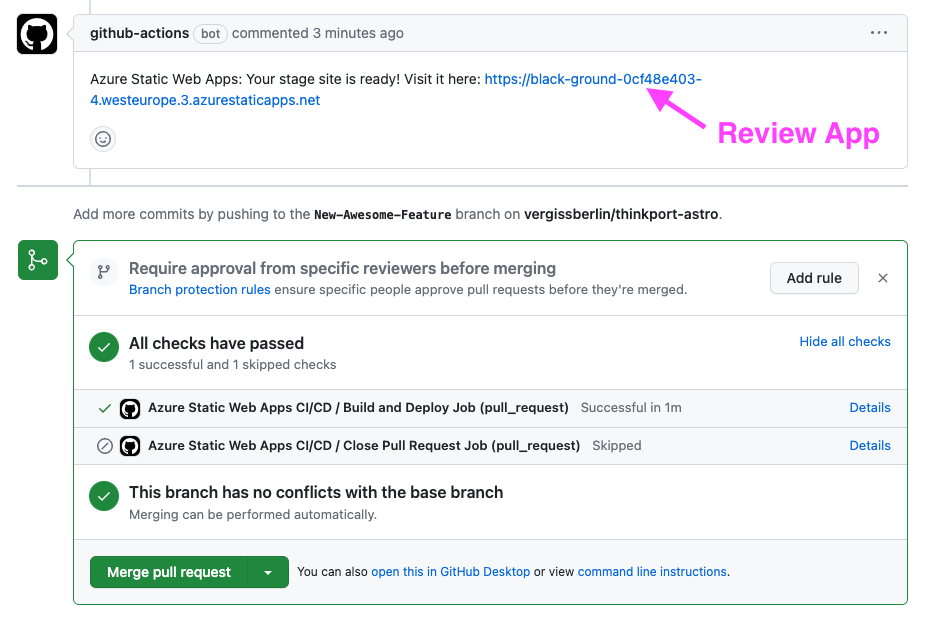
Review apps linked directly in the GitHub pull request — no manual deployment step needed.
The Takeaway
Review apps are the cleanest way to test individual features without polluting a shared environment. The effort to set them up varies depending on the stack, but for static web applications it’s minimal.
Azure Static Web Apps provide a straightforward integration point for GitHub Actions. If Azure isn’t your thing, Surge.sh is the quickest route to something running.
Have you set up review apps in your own pipeline? I’d be curious whether you went with a cloud provider or something more self-hosted.