Kubernetes has a reputation for being hard to get into. That reputation is not entirely undeserved. The documentation is thorough, the concepts are interconnected, and the gap between “I read about it” and “I actually understand it” can feel enormous.
What usually helps is doing. Not reading about pods — creating one. Not learning about deployments in theory — rolling one out yourself, watching it fail, fixing it. That hands-on feedback loop is what makes concepts stick.
So I built a Kubernetes learning path on Killercoda. It’s free, it runs entirely in your browser, and each lesson takes about five minutes. No cluster to set up. No cloud account to create. Just you, a terminal, and a real Kubernetes environment.
What Killercoda Actually Is
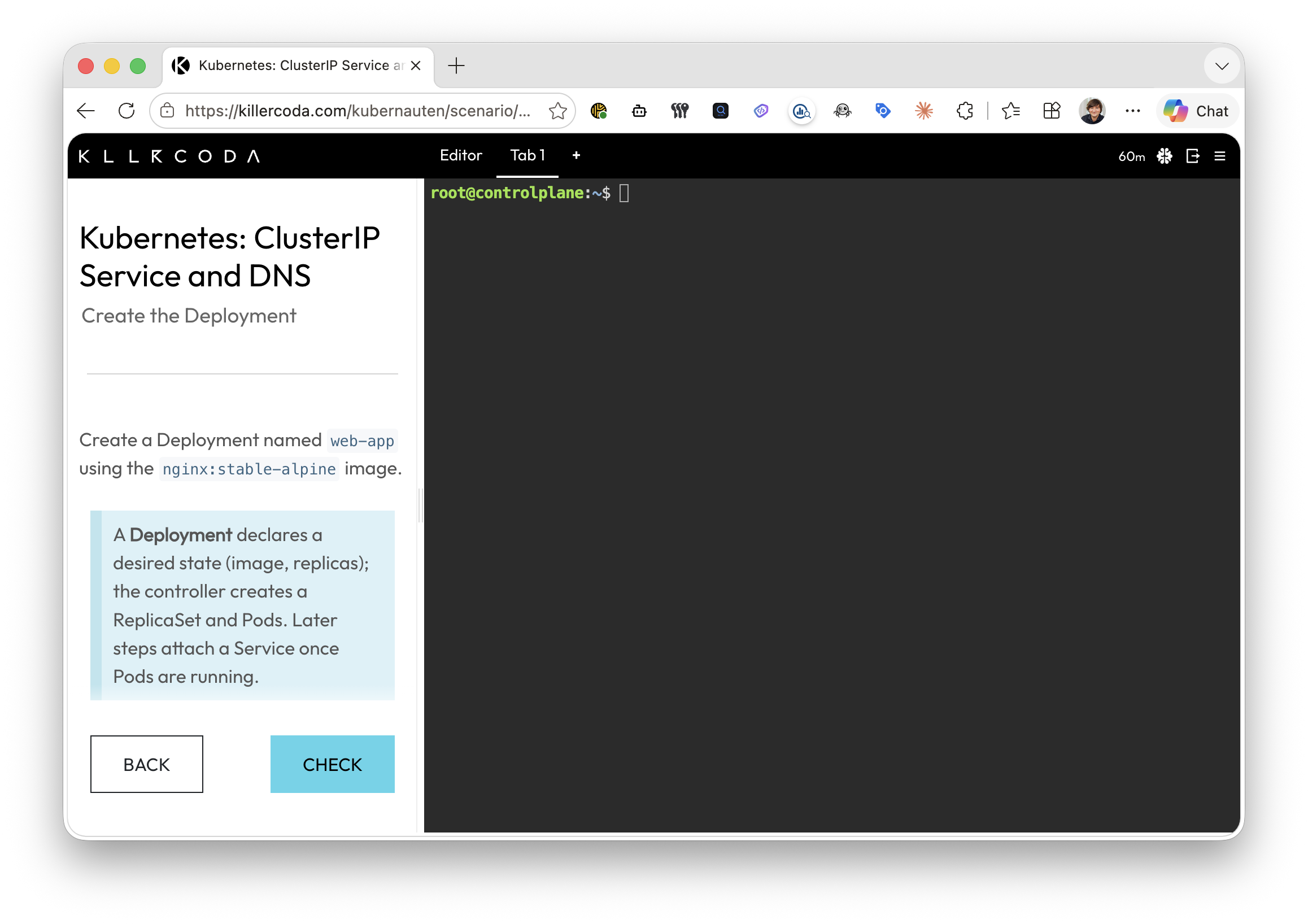
Killercoda is a browser-based lab platform. When you open a scenario, you get a terminal connected to a live environment — a real Kubernetes cluster in this case. You follow the instructions, run the commands, and see what happens. When you’re done, the environment is cleaned up automatically.
The practical upshot: there’s no friction between deciding to learn and actually learning. You don’t spend the first twenty minutes installing kubectl or fighting with Minikube. You just open the link and start.
For Kubernetes, this matters a lot. The best way to understand how a pod restarts after a crash is to crash one and watch it restart. You can’t really get that from a diagram.
The Learning Path I Put Together
The scenarios at killercoda.com/kubernauten are structured as a progression. You start from zero — what a pod is, how to interact with the API — and work your way through deployments, services, namespaces, and further. Each lesson builds on the one before.
The design is deliberate. I’ve seen too many Kubernetes tutorials that open with a full kubectl apply -f manifest before explaining what any of it means. This one doesn’t do that. You walk before you run.
The beginner-to-expert framing isn’t marketing language — it reflects the actual trajectory of the content. Early lessons feel almost trivially simple. That’s intentional. By the time you’re dealing with more complex topics, you have enough mental scaffolding that they don’t feel overwhelming.
Five Minutes a Day Is Genuinely Enough
The temptation with a learning platform is to binge it. Resist that.
One lesson a day is enough. Not because you’ll run out of material — you won’t — but because Kubernetes concepts need time to settle. You learn what a Deployment is today. Tomorrow, when you revisit it, something clicks a bit more deeply. That’s how technical knowledge actually builds.
Five minutes in the morning, or during a coffee break, is a sustainable rhythm. It keeps Kubernetes present in your mind without making it feel like a project you need to carve out hours for.
It also means you can get measurable progress without feeling overwhelmed. After a week, you’ve done seven lessons. After a month, you have a solid foundation. That’s not a bad return on five minutes a day.
Who This Is For
If you’ve heard about Kubernetes, maybe even used it peripherally, but never felt truly confident with it — this is for you.
If you’re a developer who gets handed Kubernetes manifests and has to pretend you understand them — this is for you.
If you’re just curious and want a low-stakes way to explore — also for you.
The scenarios don’t assume cloud expertise. They don’t assume you’ve run a container in production before. They assume you can read and run a command.
One Less Reason to Put It Off
Kubernetes doesn’t have to be the thing you keep meaning to learn properly. Give it five minutes tomorrow — open a scenario, follow along, and see how much you pick up in a single session.
Have you got a favourite way to build up expertise in infrastructure tools? I’m curious what’s worked for other people.